How to Choose a Home Security Company in Las Vegas: What to Compare and What to Ask
How to choose the best alarm company in Las Vegas: local vs national companies, features to compare, questions to ask, and red flags to check before you sign.

How to choose the best security system and alarm company for your Las Vegas business: what to look for, upgrade signs, integration, myths, and questions to ask.
The best security system for a small business combines monitored intrusion detection, cameras with video verification, access control, and fire protection in one system, installed and supported by a local company that stays involved after installation. When comparing Las Vegas business alarm companies, look past the equipment list to licensing, where alarms are monitored, how alarms are verified, and how service is handled years from now. This guide covers what to think about first, signs it is time to upgrade, the myths that leave businesses exposed, and how to compare providers.
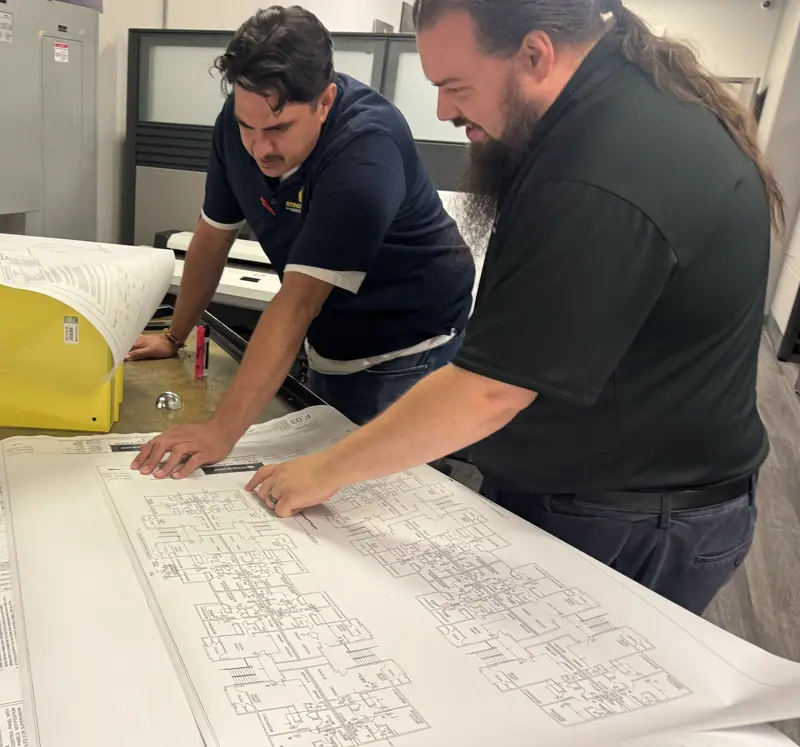
A business security system can include intrusion sensors, security cameras, live video, access control, and fire and life safety systems. Start with your risks: storefront glass, after-hours inventory, a cash office, a server room, a warehouse yard, or employees who work late. Then choose the combination that covers them.
A system your staff finds confusing gets bypassed or left disarmed. Look for one app that arms the system, shows cameras, locks doors, and sends alerts, with clear training at installation.
No one can be in two places at once. Cameras let you see inside and outside the building from anywhere. Video verification ties alarm events to video so a person can confirm what happened before the alarm is escalated. That matters in Las Vegas: LVMPD's official FAQ says it only broadcasts burglar alarm calls and does not dispatch a unit, though an available officer may respond by choice.
Door and window contacts, motion detectors, and glass break detectors cover the ways people actually break in. With intrusion detection monitored by our UL-listed monitoring center, an alarm gets a response even when nobody is there.
Equipment wears out, and businesses change. Ask how service calls are handled, who you call when something stops working, and how the company keeps the system current. Same-day service is often available for existing customers, depending on technician availability. After-hours rates may apply.
If your system is about a decade old or more, it probably cannot do what a modern system does. Reasons to upgrade:
Integration is easiest to understand by following a normal day.
The result is one timeline instead of separate logs, less downtime when something needs service, and consistent settings across every location.
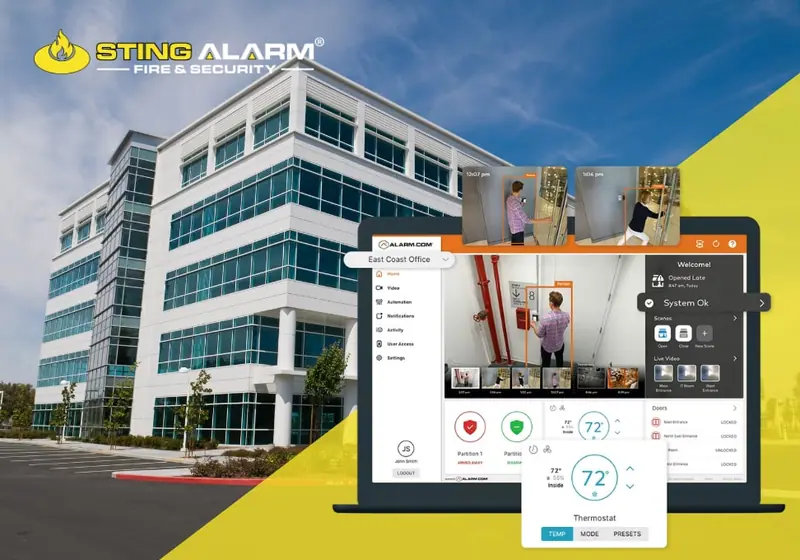
Most businesses already have cameras, alarm panels, access control, and fire protection. The problem is usually how those systems are configured and managed over time. When a vendor's job ends at installation:
A company that designs, installs, monitors, and services the whole system, including fire protection, keeps service history in one place and reviews changes across every system at once.
Internal risk rarely shows up as a dramatic event. It builds when access stays active too long, alerts get ignored because they trigger too often, or monitoring instructions no longer match who is responsible. Most of it can be fixed with the system you already have:
"Security systems are too expensive." A system requires an investment, but it is sized to your risks and budget. Compare it with the cost of a single break-in, lost inventory, downtime, and the time spent on police reports and insurance claims.
"My business is too small to need security." Small businesses can least afford a loss of equipment, data, or reputation. Cameras that cover blind spots and send alerts are valuable at any size.
"All security cameras are the same." Cameras differ in resolution, night vision, analytics, storage, and how they integrate with the alarm and with live monitoring. The right camera depends on what it needs to see and what you need it to do.
"Security systems only protect against outsiders." Access control limits who can enter which areas, and logs and video create accountability. That helps reduce internal theft and enforce procedures.
"Security systems don't deter anyone." Most intruders look for easy, unprotected targets. Visible cameras, sensors, and signs push many of them elsewhere, and when someone tries anyway, the system creates evidence and gets a response.
"A power outage makes the system useless." A system that depends only on the grid would fail in an outage. We install a backup battery in the panel so it stays online during power outages, and the built-in cellular communicator keeps signals moving.
Ask every company the same questions:
Before you sign with anyone, run through our business security checklist, and if you already have a system, read why testing your security system matters.
Sting Alarm designs integrated security and fire protection around how your business actually operates, then stays involved to keep it working. Call (702) 737-8464 or request a free quote.
The best system is one that covers your real risks and that your team will actually use: monitored intrusion detection, cameras with video verification, access control for doors and restricted areas, and fire protection, all managed in one app and supported by a local team. The right mix depends on your building, hours, and inventory.
Compare licenses, where alarms are monitored, whether they verify alarms with video, how they handle service and maintenance after installation, whether they also handle fire protection, and what their reviews say about responsiveness. Ask for a site visit and a written proposal.
Monitored systems from Sting Alarm require a 3-year agreement. The agreement covers monitoring and ongoing support, and we explain the terms before installation.
Our standard panel, the Qolsys IQ Panel 5, is dual-path with a built-in cellular communicator, and we install a backup battery in the panel so it stays online during power outages.
LVMPD's official FAQ says it only broadcasts burglar alarm calls and does not dispatch a unit, though an available officer may respond by choice. When someone has reviewed video and can report what is actually happening, the call carries much more information than a tripped sensor alone.
There is no fixed schedule, but review it when equipment is around a decade old, when your layout or staffing changes, when you add locations, or when the system cannot do things you now need, such as video verification, mobile access, or remote management.
How to choose the best alarm company in Las Vegas: local vs national companies, features to compare, questions to ask, and red flags to check before you sign.
Remote guarding vs on-site security guards: how live intervention works, how to compare costs, what happens after hours, and which businesses it fits best.
How burglars pick and enter homes, 20 quick home security tips, the myths that leave you exposed, and the mistakes Las Vegas and Phoenix homeowners still make.
Tell us about your business and a local security expert will walk your site and recommend a system that fits how you operate.
★★★★★ Isaac and Isaac from Sting were amazing!!! They showed up on time and even got the installation done before the quoted time. Isaac explained how the system worked in detailed and set up my cameras and doorbell without any issues. I would recommend Sting to anyone looking to upgrade their security system and ask for Isaac.
★★★★★ Sting Alarm has been great to work with. Had an issue that needed a field tech to come out. Mike was dispatched and worked on the issue - quickly identifying the issue and resolving it for me. Friendly and great service!
★★★★★ From the beginning, Sting Alarm has been so easy to work with. From Jeff in Sales, to scheduling, and finally when our tech came out in a Saturday for the installation, everything was seamless. Our tech Isaac was fantastic. He was neat and cleaned up after the installation, and took time with me and my husband to get us set up on the app. He was patient, walking us through all the features.… Read on Google