
Smart Home Automation Guide: What Your Security System Can Control
What a smart home security system can automate: lights, plugs, thermostats, locks, garage doors, voice control with Alexa and Google, alerts, and documents.
A smart home security system can automate far more than the alarm: it can control your lights, smart plugs, thermostat, door locks, garage door, cameras, and even your water supply, all from one app, and it can make those devices respond to each other automatically. You can also run it by voice through Alexa or Google Home. Here is how connected devices work with your security panel and what they can do for a Las Vegas or Phoenix home.
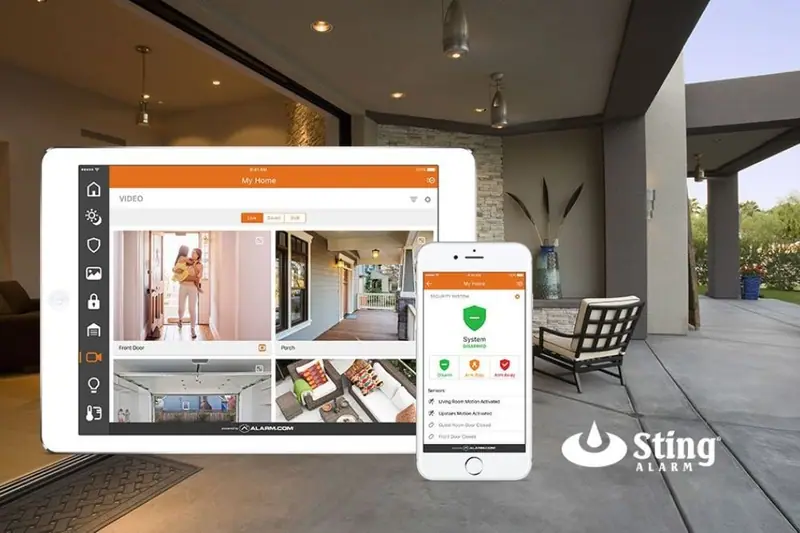
How IoT devices connect to your security panel
The Internet of Things (IoT) simply means everyday devices that connect to a network and talk to each other. In a smart security system, the panel is the hub. Sensors, cameras, locks, lights, and thermostats connect to it and to the Alarm.com cloud platform, and you control everything through one app.
Our standard panel, the Qolsys IQ Panel 5, has a built-in cellular communicator, so alarm signals and app commands do not depend on a phone line or your home internet alone. We install a backup battery in the panel so it stays online during a power outage.
What makes it "smart" is that devices act together. For example:
- A motion sensor in the backyard detects activity at night, the outdoor lights turn on, and a camera clip arrives on your phone.
- You arm the system at bedtime and the doors lock, the garage closes, and the lights turn off.
- Smoke is detected and the system can turn on lights and shut down the HVAC so smoke is not circulated through the house.
- A water leak sensor trips and a water valve shuts off the water automatically.
Every device lives in the same app, and the system becomes more useful as you add devices.
Lighting, plugs, and scenes
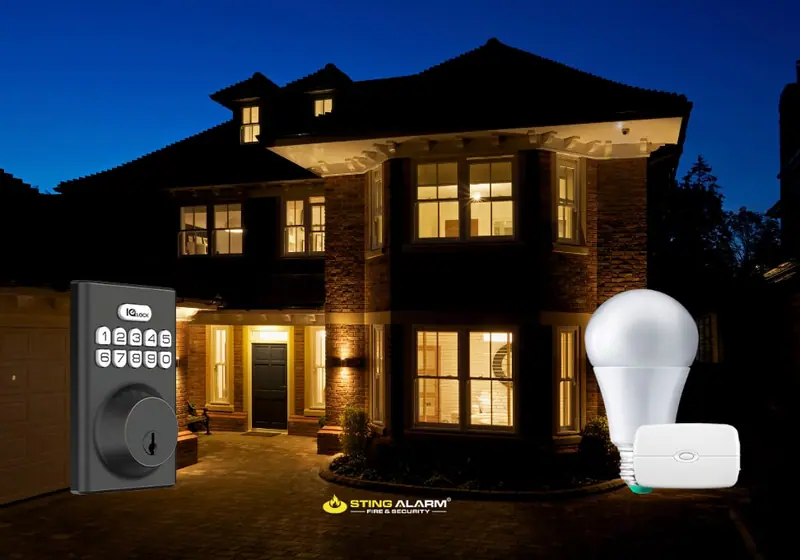
Lighting is the easiest place to start, and it helps both security and energy use.
Switches vs plugs vs bulbs
- Smart bulbs have the technology in the base. Screw them in and they are ready, but they only work in the fixture they are in, and the wall switch has to stay on.
- Smart switches replace your wall switch. They take more installation but work with regular bulbs and keep the switch working for guests.
- Smart plugs are the most versatile. Plug in any lamp, holiday lights, or a small appliance and it becomes part of your system. Outdoor smart plugs handle yard lights and decorations.
Schedules and scenes
The Alarm.com app now lets you build advanced lighting schedules right from your phone (More, then Automation, then Schedules), without logging in on a computer. You can:
- Follow sunrise and sunset so outdoor lights adjust to local times automatically.
- Use an "away from home" schedule that gives the house a lived-in look when you travel or work late.
- Program color bulbs for routines, celebrations, or family time.
- Turn off forgotten lights from your phone, or turn on a few before you get home to a dark house.
- Set lights to turn off at bedtime to save energy.
You can group devices into scenes, such as a "goodnight" scene that turns off the lights, locks the doors, and arms the system with one tap on any family member's phone.
Thermostats and energy
A smart thermostat on your security app lets you set schedules, adjust the temperature from anywhere, and get alerts if the temperature changes unexpectedly. In a desert climate with hot days and cooler nights, that means less cooling when nobody is home and a comfortable house when you walk in. Geofencing can start the AC as you head home and ease off after you leave. Learn more about smart home energy and read our post on smart thermostats in Las Vegas.
Voice control with Alexa and Google Home
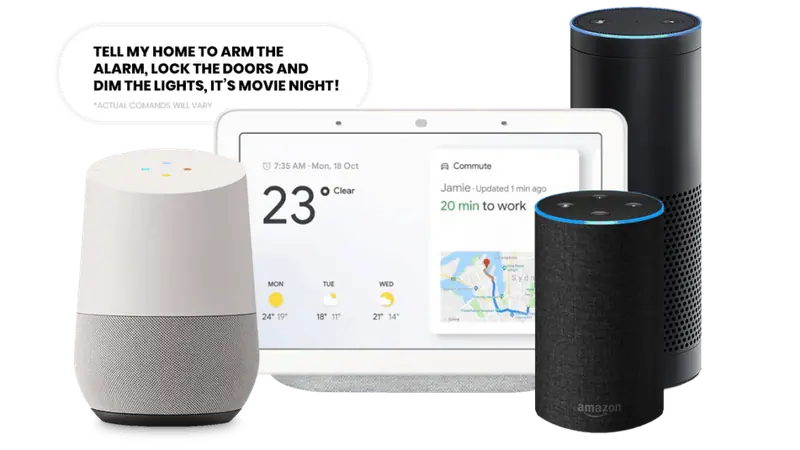
Link your system to Amazon Alexa or Google Assistant and control it by voice:
- "Hey Google, arm the security system" when the kids are in bed and you have just sat down for a movie.
- "Alexa, make it cooler" when you wake up warm in the middle of the night.
- "Alexa, it's movie time" to run a routine that dims the lights and locks the exterior doors.
Routines let one phrase trigger several devices at once. For security, voice commands can arm the system and lock doors, while disarming and unlocking by voice should require a PIN.
Locks and garage doors
Smart locks let you lock and unlock from anywhere, see whether each door is locked, and get a notification when a lock status changes. That means no spare key under the mat and no driving home because you are not sure you locked up.
- Individual codes for each family member, the dog walker, or a contractor, each of which can be scheduled or removed.
- One code, two actions. A recent Alarm.com update lets a user's door code unlock the smart lock and disarm the security system in one step. Only trusted codes can disarm.
- Auto-lock a set time after the door closes.
- Garage control shows whether the garage door is open, lets you close it from the app, and can close it automatically when your phone leaves the area.
Put together, your evening can look like this: the porch light turns on at sunset, you enter your code, the door unlocks and the system disarms, and the scheduled lights inside are already on.
Water, fire, and other life safety devices
Automation is not only about convenience. The same system watches for emergencies:
- Smoke and heat detectors alert you and our monitoring center immediately, whether or not you are home.
- Carbon monoxide detectors sound a loud local alarm and send an alert to your phone. Tamper switches report if a detector is removed from its base.
- Water leak sensors detect water under sinks, by the water heater, and near the washer. Paired with a water management valve, the system shuts off the water automatically when a leak is detected and tells you where it happened.
Alerts, documents, and the one-app experience
Everything above lives in one app, so you are not juggling separate apps and accounts for the doorbell, thermostat, lights, and alarm. You choose which alerts you get: a door opening while you are away, a camera seeing a person, a lock left unlocked at bedtime, or the system not being armed by a certain time.
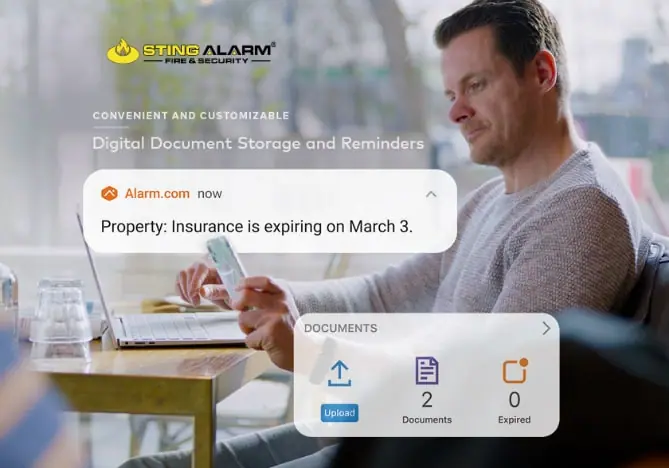
The app now also includes digital document storage and reminders. Upload insurance policies, appliance warranties, service invoices, and inspection reports, sort them by category, and set reminders before a renewal or expiration date. You can view them from your phone, tablet, or computer.
Is it worth upgrading an older system?
If your current alarm relies on a phone line, has no app, or cannot connect to cameras and locks, an upgrade is usually worth it. Older systems that piggyback on a phone or cable connection can be cut. A smart panel with built-in cellular cannot be disabled with wire cutters, and it adds remote control, real-time alerts, and automation. In many homes, existing wired door and window sensors can be connected to the new panel, which keeps costs down.
When choosing a system, look for:
- Scalability, so you can start with security and add automation over time.
- Integration with doorbells, locks, thermostats, and lights in one app.
- Ease of use for everyone in the household.
- Reliability, including cellular communication and battery backup.
- Local installation and support from people who know desert homes.
Professional installation ensures every device is set up correctly and works together. For more ideas on what to automate for kids, parents, and pets, see home safety for families.
Get started
Sting Alarm has designed and installed smart home security systems in Las Vegas since 2003 and now serves the Phoenix metro too. We will build a system around how your household actually lives.
Call Las Vegas (702) 737-8464 or Phoenix (602) 431-1300, or request a free quote.
Plan your smart home
Tell us what you want your home to do and a local expert will recommend devices that work on one app.
What happens next
4.9 stars from 1,161 Google reviewsRecent Google reviews
4.9 stars from 1,161 Google reviews★★★★★ Sting Alarm has been great to work with. Had an issue that needed a field tech to come out. Mike was dispatched and worked on the issue - quickly identifying the issue and resolving it for me. Friendly and great service!
★★★★★ From the beginning, Sting Alarm has been so easy to work with. From Jeff in Sales, to scheduling, and finally when our tech came out in a Saturday for the installation, everything was seamless. Our tech Isaac was fantastic. He was neat and cleaned up after the installation, and took time with me and my husband to get us set up on the app. He was patient, walking us through all the features.… Read on Google
★★★★★ Mike in service is an amazing tech. This morning he came out to replace our faulty smoke detector. He was professional, efficient, really friendly and took the time to explain everything clearly. The whole process was quick and stress-free—highly recommend Mike and Sting Alarm
Frequently asked questions
What can a smart home security system control?
Beyond the alarm itself, a smart security system can control lights, smart plugs, thermostats, door locks, garage doors, cameras, and water shutoff valves, all from one app. Devices can also react to each other, such as lights turning on when a camera sees a person at night.
Can I control my security system with Alexa or Google Home?
Yes. A smart security system can link with Amazon Alexa and Google Assistant so you can arm the system, lock doors, adjust the thermostat, and run lighting routines by voice. For security, voice commands can arm and lock, while disarming and unlocking should require a PIN.
Should I use smart bulbs, smart switches, or smart plugs?
Smart bulbs are the easiest to install but only work in the fixture they are in. Smart switches take more installation but work with regular bulbs and keep the wall switch working. Smart plugs are the most flexible, turning any lamp or small appliance into an automated device.
Can one code unlock my door and disarm the alarm?
Yes, with compatible smart locks. A recent Alarm.com update lets a user's door code unlock the smart lock and disarm the security system in one step, and each family member can have their own code so you can see who came home.
Is it worth upgrading an older alarm system to a smart system?
Usually, yes, if your current system relies on a phone line, has no app, or uses outdated communicators. A smart panel with built-in cellular adds remote control, real-time alerts, and automation, and some existing wired sensors can often be reused.