
Home Safety for Families: Kids, Aging Parents, and Pets
How a smart home security system helps keep kids, aging parents, and pets safe: childproofing alerts, back-to-school codes, wellness monitoring, and pet care.
A smart home security system helps keep your family safe by telling you when something happens at home that should not: a door opening at the wrong time, a child arriving home from school, a parent's routine changing, or a visitor at the door while you are at work. Sensors, user codes, a video doorbell, and smart locks work together on one app, so you can check in and act from anywhere. Here is how families use them for young kids, school-age kids, aging parents, and pets.
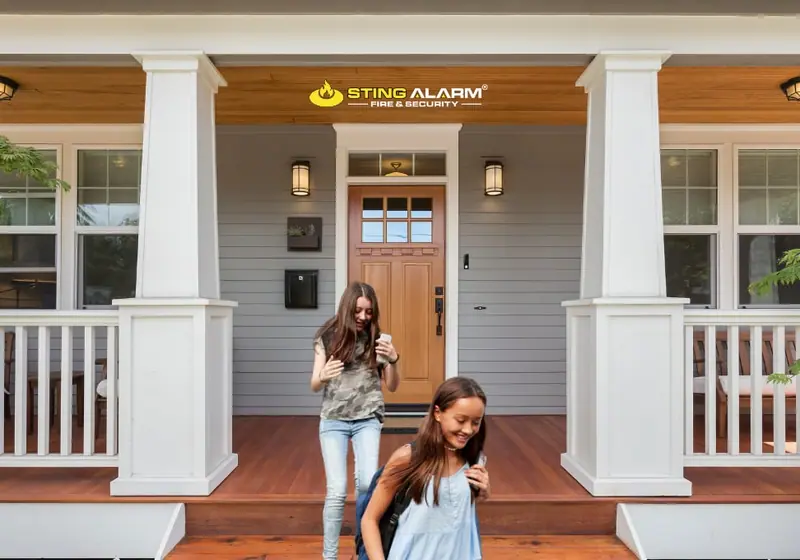
Childproofing the basics
Locks, gates, and safes come first. Sensors add an alert so you know right away when one of those barriers is opened. A contact sensor on a door or cabinet, or a motion sensor in a room that should be empty, can notify your phone even while the alarm is disarmed. Alarm.com's unexpected activity alerts can also learn your household's normal routine and notify you when something happens outside it. You can tell the system which alerts were useful, and pause them on a sick day or a holiday.
Five places where an alert can head off trouble:
- Exterior doors. On a weekday morning the front door opens constantly. On a Saturday at 6:30 a.m., a door opening probably means a curious four-year-old is heading into the yard while you pour your coffee.
- The gun safe. A safe is the protection. A motion or contact sensor at the safe tells you if anyone tries to get into it.
- The medicine cabinet. Once toddlers can climb onto a chair, the bathroom becomes one of the most hazardous rooms in the house. A contact sensor on the cabinet alerts you when it opens. Read more in our guide to medicine cabinet safety.
- The top of the stairs. A motion sensor near the stairs can wake you when a sleepy child wanders at night.
- The door to the garage. Tools, paint, chemicals, and vehicles make the garage a magnet for kids. A contact sensor on the interior garage door tells you when someone goes in.
Every home is different, so we place sensors where your family actually needs them instead of selling a fixed package.
Back to school: arrival alerts, user codes, and the video doorbell
The school year changes the whole household routine. A few settings make mornings and afternoons calmer:
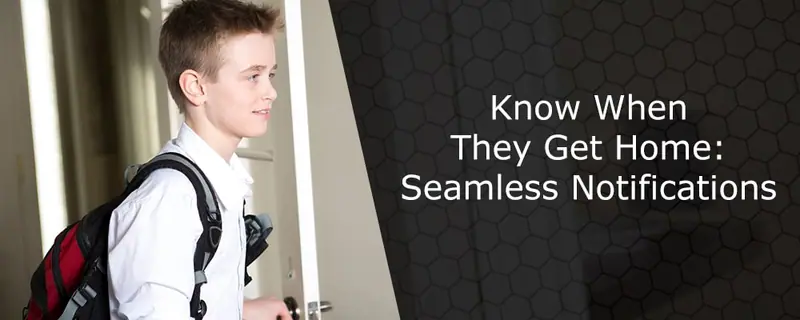
- A user code for each child. With a smart lock or panel code of their own, kids never need a hidden key. Each time they use it, you get a notification, so you know they are home without waiting for a text.
- Arrival alerts. Set a notification for when the front door unlocks with your child's code, and another if it has not been unlocked by the usual time. For more on this setup, see after-school door alerts.
- Geofencing. The app can use your phone's location to remind you to arm the system or lock the doors when you leave, and to turn on lights as you approach home.
- Lock and arm reminders. If a door is left unlocked or the system is not armed after everyone leaves in the morning, you get a reminder and can fix it from the app.
- A video doorbell. The front door is the busiest spot in the house during the school year. You see and talk to whoever is there, whether it is your kid without a key, a delivery driver, or a visitor at dinnertime.
Put a simple checklist on the fridge for kids:
- Lock the door behind you.
- Do not open the door for strangers. Talk through the doorbell or wait for an adult.
- Let a trusted adult know when you are home.
- Never share your alarm or door code with friends.
Kids home alone after school
If school lets out at 3 and you get home at 6, automation can make those hours feel safer:
- Schedule lights to turn on before they arrive so they do not walk into a dark house.
- Set the thermostat to start cooling before they get home. A smart thermostat on the same app runs on a schedule and alerts you if the temperature changes unexpectedly, which matters in a desert summer.
- Check in on video. Indoor and outdoor smart home cameras let you see who came home and with whom. You can also set clips to record automatically when the front door opens.
- Unlock remotely if they forget the code. A quick call, a glance at the doorbell video, and you can unlock the door from your phone.
- Keep emergency monitoring on. Smoke, heat, carbon monoxide, and intrusion alarms go to our monitoring center 24/7, and you get the alert on your phone, so help is on the way even if your child does not know what to do.
Vary routines where you can. Burglars look for homes that are predictably empty, and a house where lights, schedules, and activity change looks occupied.
Aging parents: activity and wellness monitoring that respects independence
Many adults are helping a parent stay in their own home while juggling work and kids of their own. Remote monitoring can give you peace of mind between visits without taking away your parent's independence.
Start with a conversation
Before installing anything, talk with your parent. Some people welcome the added safety. Others see monitoring as an invasion of privacy. Get their agreement, involve them in choosing what to monitor, and keep cameras out of places where anyone expects privacy, such as bedrooms and bathrooms. Make sure app access is limited to the family members who need it.
What sensors can show
Sensors tell you about routines without putting a camera in every room:
- Door activity. When doors open and close, including a door opening in the middle of the night.
- Movement. Whether there has been normal activity in the kitchen or living room by mid-morning.
- Changes in routine. Unexpected activity alerts flag what is out of the ordinary, such as no movement at the usual time.
- Temperature. A smart thermostat and temperature alerts help keep the home comfortable and safe, especially during summer heat.
- Smoke, heat, carbon monoxide, and water leaks. These life safety sensors report to the monitoring center and alert family members.
A video doorbell lets you see who visits, which helps protect against strangers and door-to-door scams. Smart locks let you let in a caregiver, a neighbor, or emergency responders without hiding a key. The panel's emergency buttons can send an alarm straight to our monitoring center.
Pets: letting the dog walker in and checking on pets remotely
Your dog should not have to wait all day for a walk because you are stuck at work. With a video doorbell and smart lock:
- The doorbell alerts you when the dog walker arrives.
- You confirm who it is on live video.
- You unlock the door from the app, then lock it again when they leave.
Or give the walker their own code that only works during set hours, and get a notification each time it is used. Indoor cameras let you check that the walk happened and that your pet is settled, and they are handy on loud nights like the Fourth of July and Halloween, when pets get anxious. Use a pet-friendly motion setting so your dog does not trigger the alarm.
One system for the whole family
Kids, parents, pets, and caregivers all need different things from the same house. A smart home security system handles them on one app: user codes for every person, sensors where they matter, cameras and a doorbell for visibility, and 24/7 monitoring for real emergencies.
Sting Alarm is local and independently owned and has protected families in Las Vegas since 2003, and we now serve the Phoenix metro too. Call Las Vegas (702) 737-8464 or Phoenix (602) 431-1300, or request a free quote.
Set up your home around your family
Tell us who lives at home and a local security expert will suggest sensors, codes, and alerts that fit.
What happens next
Over 1,000 five-star Google reviewsFrequently asked questions
How can I know when my child gets home from school?
Give your child their own user code on the security panel or smart lock. When they use it, you get a notification on your phone with the time, and a video doorbell or entry camera can send a clip of them arriving. You can also set an alert if the door has not been unlocked by a certain time.
Can a security system alert me if my kids get into the medicine cabinet or gun safe?
Yes. A small contact sensor on a cabinet door, or a motion or contact sensor at a gun safe, can send an alert to your phone whenever it is opened, even while the alarm is disarmed. Sensors are an extra layer, not a replacement for locks and safes.
How can I check on an aging parent without cameras in their home?
Door, motion, and appliance-area sensors can show normal daily activity and send an alert when something is unusual, such as no movement by mid-morning or a door opening at 3 a.m. That gives you peace of mind without cameras in private spaces, and the system can also report smoke, heat, and water leaks.
Should I put cameras in an elderly parent's home?
Only with their agreement. Talk it through first, involve them in the decision, and keep cameras out of bedrooms and bathrooms. Many families use exterior cameras and a video doorbell, plus sensors indoors, which respects privacy while still showing who comes and goes.
Can I let a dog walker into my house remotely?
Yes. When the walker arrives, the video doorbell alerts you, you confirm who it is on live video, and you unlock a smart lock from the app. Or give the walker their own code that only works during set hours, and get a notification each time they use it.