Holiday Closure Checklist for Las Vegas and Phoenix Businesses
A holiday closure checklist for Las Vegas and Phoenix businesses: account contacts, access codes, arming schedules, staff training, and fire protection.

Review guest codes, alerts, camera views, and smart-home schedules so your Las Vegas or Phoenix home fits changing holiday routines.
Review your home security settings before the holidays so guest access, alerts, and schedules match your household's changing routine. Guests may arrive at different times, deliveries can be more frequent, and a sitter, cleaner, or relative may need temporary access. A quick review now can help your system match how your household will actually live in December.
The goal is not to change every setting. Focus on the parts of your routine that will be different, then leave the rest alone.
Start with the people who may need access while your schedule is different. If your home has compatible smart locks, separate user codes can help you avoid sharing the code you use every day. Depending on the installed equipment and settings, a code may also be limited to certain times or dates.
Create access only for someone you trust, explain which entrance to use, and remove the code when it is no longer needed. If your system does not support separate codes, decide in advance how you will handle arrival and departure.
A valid code is only useful if the person knows what to do with it. Incorrect keypad codes and guests who were not shown how the system works can lead to false alarms.
Before the first visit, show each authorized person how to enter, disarm, and leave correctly. Explain which doors are normally used and what to do after an accidental alarm. If your home has security monitoring, make sure the appropriate household contacts know how to respond to a call or notification.
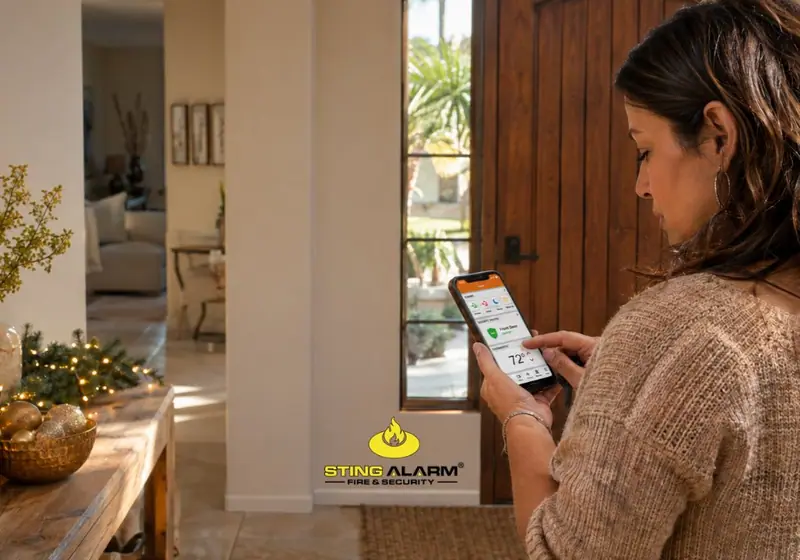
A busier home can create more routine activity. Review the door, lock, and camera notifications you currently receive. Keep the alerts that are useful, and adjust schedules or notification rules only when your equipment and app support those changes.
Holiday decorations can also change the space around installed devices. Seasonal decorations and plants can change what a sensor or camera sees, so it is worth checking them. Walk through the home and check that decorations, furniture, or temporary items do not block a camera view or sit directly in front of a sensor. If you are unsure about placement, contact Sting Alarm before moving an installed device.
If your system includes compatible smart lighting, thermostat controls, or other smart home security automation, compare current schedules with your holiday routine. Normal weekday settings may not fit days off, later arrivals, or overnight guests.
Update only the schedules that need to change. Add a reminder to restore your regular settings after the holidays so a temporary adjustment does not quietly become permanent.
Technology works best alongside simple habits. Locking doors and windows when you leave, keeping the garage door closed, and locking the door between the garage and the home are simple habits that help protect any house.
Turn that advice into a short evening check that any authorized household member can follow. A simple routine is easier to remember when the home is busy.
Before your schedule changes:
If you are unsure which settings your current system supports, Sting Alarm can help you review the available options. Existing customers can call (702) 737-8464 in Las Vegas or (602) 431-1300 in Phoenix. Homeowners considering a new system can call the same local number to request a free quote.
Available features depend on the installed equipment, selected services, connectivity, settings, and account permissions.
No. Review what will actually change, such as guest access, notification preferences, or automation schedules. Leave unrelated settings alone.
Compatible smart locks may support separate user codes and time or date restrictions. Available options depend on your installed equipment and settings.
Items placed near sensors or in front of cameras may block a camera’s view or sit too close to a sensor. Contact Sting Alarm before moving installed equipment.
Show authorized guests how to enter, disarm, and leave correctly. They should also know what to do if they accidentally trigger an alarm.
A holiday closure checklist for Las Vegas and Phoenix businesses: account contacts, access codes, arming schedules, staff training, and fire protection.
How to reduce holiday package theft with delivery options, video doorbell alerts, and well-placed cameras, plus what to do if a package goes missing.
Smart door locks replace the key under the mat with personal codes, phone control, auto-locking, and alerts. How they work and why they beat a hidden key.
★★★★★ The two texts I had did an amazing job. They were very professional and very knowledgeful. I would recommend this company to anybody this company. As a whole delivered a knockout, and I hope it completely handles my problems. I'm sure it will
★★★★★ From the beginning, Sting Alarm has been so easy to work with. From Jeff in Sales, to scheduling, and finally when our tech came out in a Saturday for the installation, everything was seamless. Our tech Isaac was fantastic. He was neat and cleaned up after the installation, and took time with me and my husband to get us set up on the app. He was patient, walking us through all the features.… Read on Google
★★★★★ Isaac was absolutely amazing! My mom’s alarm panel completely froze on a weekend, and he went above and beyond to help me get it fixed. He took the time to walk me through everything step by step and helped me get the system working again. I really appreciated his patience, professionalism, and willingness to help, especially on a weekend. Isaac truly went out of his way to make sure we were… Read on Google