OSHA Safe + Sound Week: Reviewing the Systems That Support Workplace Safety
Use OSHA Safe + Sound Week to review access control, cameras, intrusion detection, fire protection, and records that support workplace safety.

A Cybersecurity Awareness Month checklist for business security systems: connected cameras, access control, named accounts, MFA, updates, and phishing.
Cybersecurity Awareness Month is the time to review your business security system the same way you review laptops and email. Cameras, recorders, access control, alarm communicators, apps, and cloud accounts are all connected, so check who has access, which devices still get updates, how remote access works, and where video is stored. Add a phishing refresher for staff, because one click can undo the rest. Sting Alarm helps Las Vegas and Phoenix businesses review and upgrade their security systems.
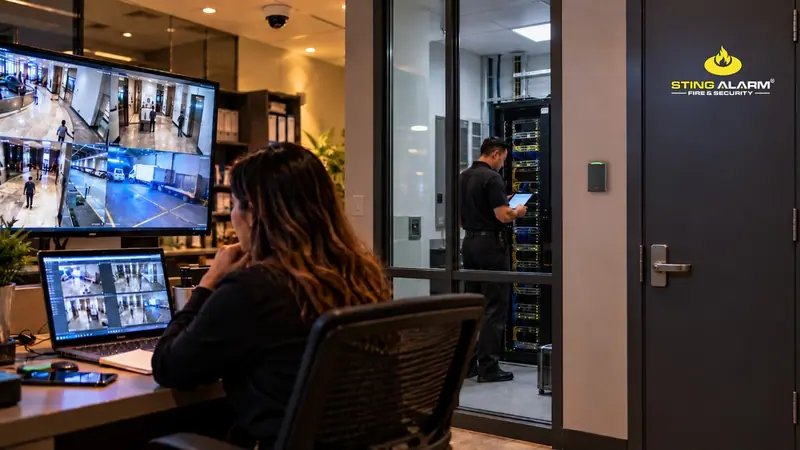
The National Cybersecurity Alliance theme for 2026 is "Don't Make It Easy for Them." It recommends strong passwords, multifactor authentication, recognizing and reporting scams, and keeping software updated. For connected security technology, also review default credentials, shared administrator accounts, inactive accounts, unsupported software, and unnecessary network exposure. Coordinate any network or firewall change with IT so security functions are not interrupted.
Palo Alto Networks' 2025 Device Security Threat Report (published October 2025) analyzed more than 27 million connected devices belonging to 1,803 enterprise network customers. It found that 32.5% of devices operated outside IT control and that 77.74% of networks had poor segmentation, and it named office cameras among the riskiest device types.
Those findings describe large enterprise networks, not every local business, but the lesson applies to any size: security hardware is part of your technology environment. Someone inside the business should own the account roster, updates, network coordination, and offboarding.
Start with a simple inventory:
Include both local device logins and cloud logins. Securing one does not secure the other.
Change any factory-default passwords still in use. Where the platform supports it, give each manager their own login instead of one shared administrator password. Named accounts make it easy to remove access when roles change and to tie activity to a person. Use unique passwords stored in a business-approved password manager.
Turn on multifactor authentication for administrator and remote-access accounts. Alarm.com supports two-factor authentication through the app or customer website: when someone signs in from a new device, they need a password and a verification code. Review the trusted device list too, because trusted devices may skip the second step.
Offboarding should cover more than a returned key or badge. Review app logins, remote video access, alarm user codes, access credentials, administrator accounts, and vendor access. A manager responsible for one site may not need footage or door access across every location.
On supported Alarm.com commercial access control accounts, administrators can add or remove credentials in the app or website, and user and access history reports help compare the active roster with current employees and contractors.
Cameras, recorders, and controllers run firmware. Decide who watches manufacturer notices, who approves and installs updates, and how critical updates are handled. A device may keep working after support ends, but the manufacturer may stop fixing new security problems. The Cybersecurity and Infrastructure Security Agency recommends installing security updates promptly. If equipment is no longer supported, talk with your security provider and IT team about replacement.
Some cloud-managed platforms use a vendor relay and need no inbound port forwarding. Others use a direct connection. Ask whether any inbound ports are open, whether they are still needed, and how remote access is logged.
Ask IT whether security devices are separated from point-of-sale systems, office computers, and other sensitive systems. Segmentation limits what a compromised device can reach.
Do not assume cloud video means all footage is in the cloud. Confirm the retention period, whether offsite storage is included, how staff export footage, and what remains if a recorder is damaged or offline.
Phishing does not break a door or trip a sensor. It arrives in an inbox disguised as a vendor, a bank, or an executive, and tricks someone into handing over a password, payment, or system access. A stolen login can open the same security apps and cloud accounts you just locked down.
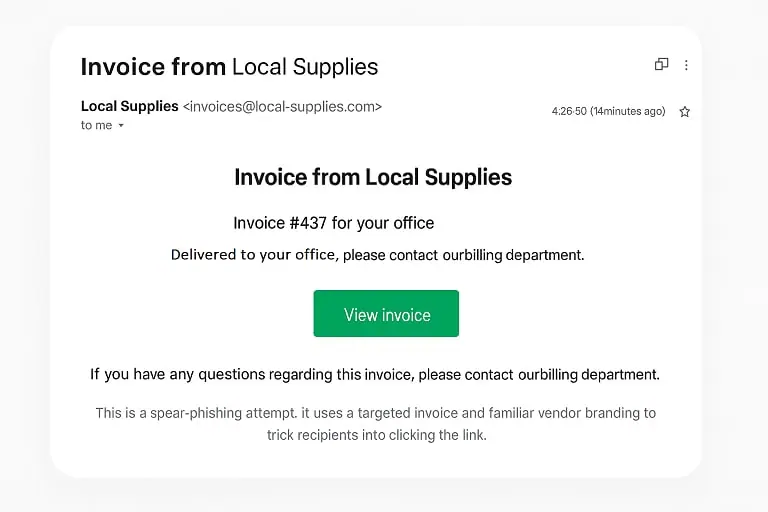
When in doubt, contact the sender using a phone number or website you already know is real. Train employees to report suspicious messages, use multifactor authentication on every account that supports it, and review access permissions regularly.
Use staffing changes, vendor changes, equipment replacements, network changes, and incidents as triggers for another review. A multi-location business with frequent turnover may need to review more often than a small, stable office.
Good habits do not make a security system immune to attack, but they reduce avoidable exposure and give leaders clear answers about who can access the system and how records are protected. Sting Alarm supports business security systems in Las Vegas and Phoenix and can review your cameras, access control, and alarm system and quote upgrades when needed. Network architecture and firewall rules should be coordinated with your IT provider. Call (702) 737-8464 in Las Vegas or (602) 431-1300 in Phoenix, or request a free quote.
Cameras, recorders, access control controllers, and alarm communicators connect to your network and cloud accounts. Default passwords, shared logins, unsupported firmware, and unnecessary network exposure can all create risk, so they belong in the same review as laptops and email.
The National Cybersecurity Alliance's 2026 theme is Don't Make It Easy for Them. It focuses on strong passwords, multifactor authentication, recognizing and reporting scams, and keeping software updated.
Watch for unusual sender addresses, urgent or threatening language, unexpected attachments or links, and requests for passwords or payment. When in doubt, contact the sender using a phone number or website you already know is real.
Network architecture, firewall rules, and incident response planning should be handled by your IT or cybersecurity provider. Sting Alarm reviews and upgrades the cameras, access control, and alarm systems, and coordinates with your IT team.
Use OSHA Safe + Sound Week to review access control, cameras, intrusion detection, fire protection, and records that support workplace safety.
How HOAs protect gates, pools, clubhouses, and common areas with cameras, access control, and remote guarding, and what boards should ask before buying.
How to reduce holiday package theft with delivery options, video doorbell alerts, and well-placed cameras, plus what to do if a package goes missing.
★★★★★ Isaac and Isaac from Sting were amazing!!! They showed up on time and even got the installation done before the quoted time. Isaac explained how the system worked in detailed and set up my cameras and doorbell without any issues. I would recommend Sting to anyone looking to upgrade their security system and ask for Isaac.
★★★★★ Sting Alarm has been great to work with. Had an issue that needed a field tech to come out. Mike was dispatched and worked on the issue - quickly identifying the issue and resolving it for me. Friendly and great service!
★★★★★ From the beginning, Sting Alarm has been so easy to work with. From Jeff in Sales, to scheduling, and finally when our tech came out in a Saturday for the installation, everything was seamless. Our tech Isaac was fantastic. He was neat and cleaned up after the installation, and took time with me and my husband to get us set up on the app. He was patient, walking us through all the features.… Read on Google