
Home Security Cameras Buying Guide: Smart vs Traditional, Features, and Maintenance
Smart vs traditional security cameras, the features that matter, AI detection, cloud vs local storage, placement for owners and renters, and desert maintenance.
For most homes, smart security cameras are the better choice: they send real-time alerts when a person or vehicle shows up, let you watch and talk from your phone, store clips off site, and work with your alarm, locks, and lights. Traditional cameras that only record to a local box are useful for evidence, but you usually find out what happened after it is over. The features that matter most are HD video, reliable power, secure storage, person detection, and two-way audio, plus placement and maintenance that suit your home.
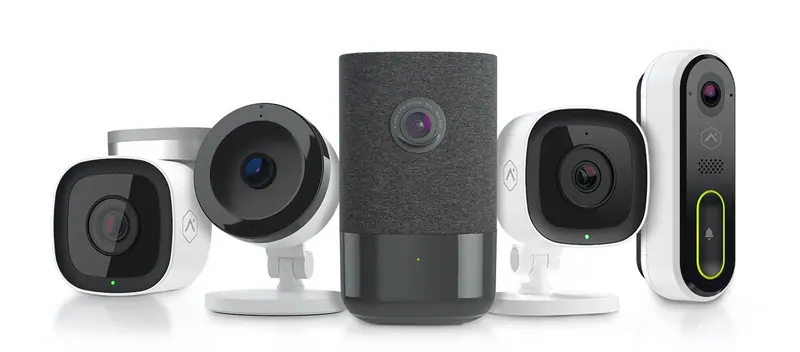
Smart vs traditional cameras
Traditional cameras record footage, usually to a DVR or NVR on site. You review recordings after an incident, often at the recorder itself. They can deliver good image quality, and wired systems are dependable where Wi-Fi is weak. But they are passive: nobody knows anything is happening unless someone is watching a monitor. And if a burglar takes or smashes the recorder, the footage goes with it.
Smart cameras connect to an app and your security system. They:
- Alert you in real time when they detect activity, so you can act while it is happening, not the next morning.
- Let you watch live and talk through two-way audio from anywhere.
- Filter alerts with detection zones and analytics, so you hear about someone on the porch, not a tree moving in the background.
- Store clips in the cloud, where they survive damage to the camera or recorder.
- Work with the rest of your system. Get an alert, check the video, and lock the door or turn on the lights, all in the same app.
Smart cameras do require software updates, and cloud storage and analytics are part of the service plan, so factor that into the decision. For most families who want to prevent problems rather than just record them, the trade is worth it.
| Smart cameras | Traditional cameras | |
|---|---|---|
| Alerts | Real-time, filtered by person, vehicle, or zone | Usually none |
| Remote viewing | Live and recorded, from your phone | Often on site only |
| Storage | Cloud clips, optional local recorder | Local DVR or NVR |
| Integration | Works with alarm, locks, lights | Standalone |
| Best for | Preventing and responding | Reviewing after the fact |
Must-have features
1. HD video
Look for at least 1080p HD. Higher resolutions such as 4K hold more detail when you zoom in on a face or plate, but use more bandwidth and storage. A well-placed 1080p camera often beats a poorly placed 4K one.
2. Reliable power
Battery cameras can go anywhere, but you have to recharge or replace batteries, and some record shorter clips to save power. Cameras wired to power avoid gaps in coverage. Professional installation makes wired power practical in most homes.
3. Secure storage
You need recorded video to show police or an insurer what happened. Cloud storage keeps event clips off site and accessible from anywhere. A local recorder, such as a streaming video recorder, can add continuous recording. Many homes use both.
4. Wireless connectivity and the app
Your cameras should connect to one app with live view, playback, and alerts, and that app should also control your alarm, locks, lights, and thermostat.
5. Motion detection and analytics
Basic motion detection starts recording when something moves, which saves storage. Smart analytics go further, as the next section explains.
6. Two-way audio
Speakers and microphones let you tell a delivery driver where to leave a package, calm a pet, or tell a stranger in the yard that they are being recorded.
Bonus: low-light performance
Infrared night vision and good low-light sensors let you see after dark. Some cameras capture color at night in low light, which helps identify a vehicle or clothing.
AI detection and video analytics
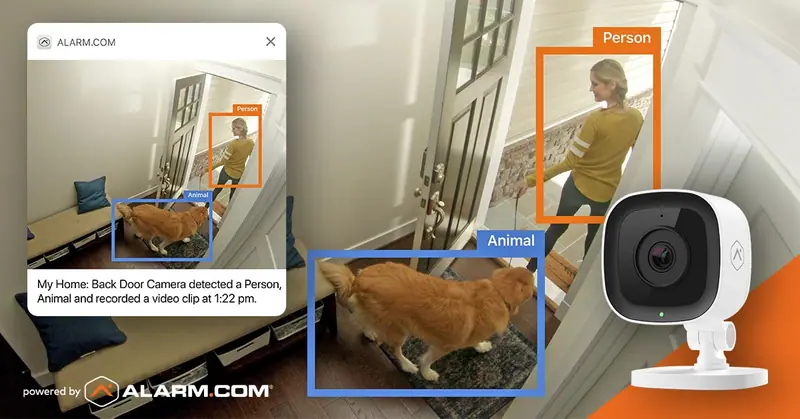
Older motion alerts fire for cars passing the driveway, shadows, and the cat. AI video analytics recognize what is moving and tell people from animals and vehicles, so your phone only buzzes for alerts that matter. You can also draw virtual tripwires and detection zones, for example an alert only when a person crosses into the side yard after 10 p.m.
Analytics also make your cameras more useful to the people who protect your home. When a camera covers the same area as an alarm sensor, a clip can show what tripped the alarm. That is the idea behind video verification: someone looks at the video before the event is escalated. In Las Vegas, where police treat unverified burglar alarm calls differently from a confirmed crime in progress, that confirmation matters.
Cloud vs local storage and encryption
Cloud storage keeps clips on secure servers, not just inside the house, so an intruder cannot destroy the evidence by smashing a recorder. You can review footage from anywhere, even when you are out of town for a week. Local recorders can hold continuous video but have finite space, and older systems overwrite footage after a few days.
Security matters as much as storage. Outdated cameras on an unsecured home network are a common weak point. Choose cameras that encrypt video in transit and in storage, keep firmware updated, use strong unique passwords, and limit app access to people who need it. Professionally installed systems on a managed platform such as Alarm.com handle encryption and updates for you.
Where to put cameras around your home
Start with the places a person would actually approach:
- The front door. A video doorbell covers visitors and packages.
- The driveway and garage. Capture vehicles and anyone heading to the garage.
- Back and side doors and gates. These are out of view from the street and need coverage.
- The backyard and pool area, for safety as well as security.
- Indoors, a camera covering the main living area or the hallway from the garage door.
Aim cameras so they show faces at entry points, not just the tops of heads. Avoid pointing them straight into the setting sun, and check that the view does not end up mostly sky or wall.
Homeowners vs renters
Homeowners should think about the size of the home and every access point, and plan for wired cameras that become part of a complete smart home security system. Renters can use wireless cameras, a video doorbell, and indoor cameras that mount with minimal hardware and move with them. Check your lease and get approval for anything attached outside.
Your household matters too. If you have kids, a video doorbell and indoor camera show when they get home. If pets roam the house, analytics that tell animals from people prevent false alerts. Our guide to home safety for families covers those setups.
Heat, dust, and spider-proof maintenance
Las Vegas and Phoenix are hard on outdoor equipment. Extreme summer heat, wind, dust storms, monsoon rain, and insects all affect image quality. A few minutes every couple of months keeps cameras reliable.
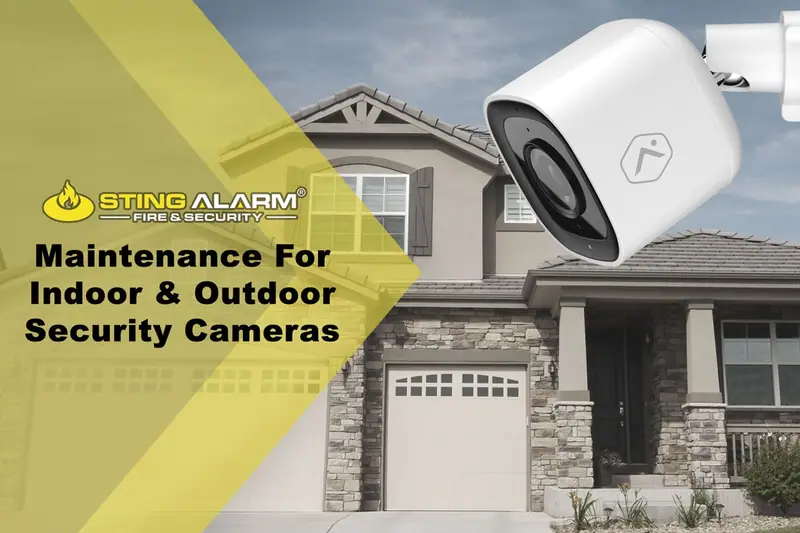
Outdoor cameras
- Clean the lens with a soft, dry cloth. Avoid harsh chemicals or abrasive materials that can scratch it.
- Clear bugs and spiders. Webs and nests near the lens trigger motion alerts and block the view. Use a soft brush or compressed air.
- Limit direct sun where you can, for example under an eave. Long sun exposure ages housings and cables.
- Check wiring and mounts for sun damage, loose connections, and anything knocked out of position by wind.
- Keep the view clear by trimming plants and moving anything that blocks the line of sight.
- Check after storms that every camera is online in the app.
Indoor cameras
- Dust the lens and housing regularly.
- Keep cameras where furniture and decorations will not block the view or knock into them.
- For Wi-Fi cameras, confirm a strong signal and add an extender if the connection drops.
- Install firmware updates when they are available.
- Watch the live feed from time to time to confirm image quality and alerts.
For a complete maintenance routine for your whole system, see our guide to testing and maintaining your security system.
Choosing a system
If you want cameras that alert you in time to act, work with your alarm, and are installed and supported by a local team, start with our smart home cameras. Sting Alarm has installed home and business camera systems in Las Vegas since 2003 and now serves the Phoenix metro too, and our cameras, doorbells, and alarm run on one app.
Call Las Vegas (702) 737-8464 or Phoenix (602) 431-1300, or request a free quote.
Plan your camera coverage
Tell us about your home and a local security expert will recommend cameras and placement.
What happens next
Over 1,000 five-star Google reviewsFrequently asked questions
What is the difference between a smart camera and a traditional security camera?
A traditional camera records to a local recorder and you review footage after something happens, usually on site. A smart camera connects to an app, sends real-time alerts when it detects a person or vehicle, lets you watch live and talk through it from anywhere, and works with your alarm, locks, and lights.
Do home security cameras need to be wired?
Not always, but wired power is the most reliable. Battery cameras can go anywhere, but they need recharging and some only record short clips to save power. Cameras wired to power can record whenever you need them without gaps from a dead battery.
Is cloud storage or local storage better for security cameras?
Each has a role. Cloud storage keeps clips off site, so footage survives even if a burglar steals or smashes a recorder, and you can review it from anywhere. A local recorder can store continuous video. Many systems use cloud clips for events and a recorder for continuous recording.
What resolution do I need for a home security camera?
1080p HD is a practical minimum for identifying faces and plates at typical home distances. Higher resolutions such as 4K hold more detail when you zoom in, but they use more bandwidth and storage. Placement and lighting often matter as much as resolution.
Can renters install security cameras?
Yes. Renters can use wireless cameras, a video doorbell, and indoor cameras that mount with minimal hardware and move with them. Check your lease and get the landlord's approval for anything that attaches to the exterior.
How do I keep outdoor cameras working in the desert heat?
Mount cameras under eaves or in shade when possible, wipe lenses with a soft dry cloth, clear spider webs and insect nests, trim plants that grow into the view, check wiring for sun damage, and confirm cameras are online in the app after storms.