
Video Surveillance and Liability Claims: What Businesses Should Document
How business video surveillance helps document liability claims: what footage can show, camera placement, retention, retrieval, and where its limits are.
Business video surveillance helps with liability claims by creating a recorded timeline of what happened: when an incident occurred, how people moved, what conditions were visible, and who was present. It works only if cameras cover the right areas, are recording when it matters, keep footage long enough, and let the right person find it quickly. Sting Alarm designs and installs cloud-managed commercial video systems for Las Vegas and Phoenix businesses.
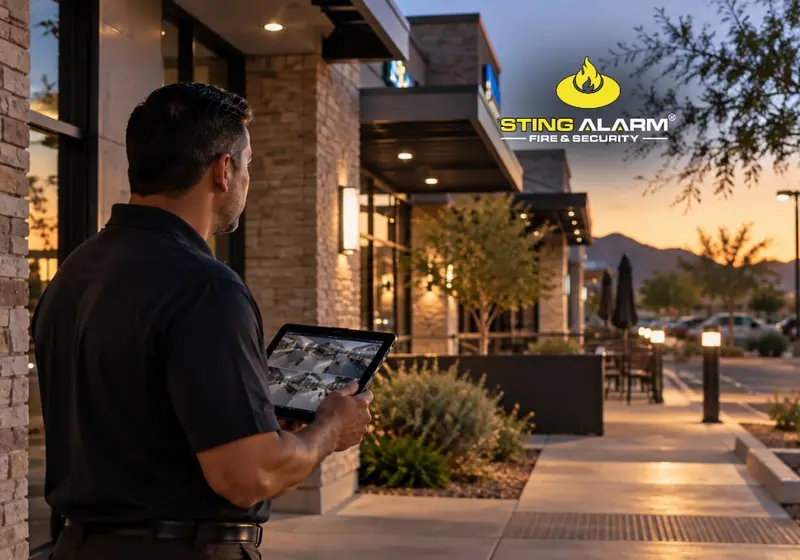
Video can clarify what happened
A customer reports a fall near an entrance. A delivery driver says an injury happened in a loading area. An employee reports an incident in the parking lot. When those become liability claims, the details matter: what happened first, where the person was standing, what conditions were visible, and who else was there.
Commercial video surveillance can help answer those questions. It does not automatically prove or disprove a claim, but well-placed, working cameras give owners, insurers, and legal teams information that is hard to reconstruct later. That makes video part of your incident documentation process, not just a security tool.
What footage can and cannot show
Useful footage may show when an incident occurred, how people moved through an area, whether a visible condition was present, and what happened right before and after. Footage near an entrance may show the sequence around a reported fall. Loading-area video can show where a vehicle or employee was. Parking lot cameras can help with vehicle damage disputes.
Cameras have limits. A camera may not see the whole area, objects can block the view, poor lighting reduces detail, and video cannot establish every fact that decides legal responsibility. Design coverage around the areas you actually need to observe.
Camera placement is only part of the equation
A camera pointed the right way does not help if it was offline. Review recording health, field of view, image quality, lighting, accurate timestamps, and how quickly footage can be found.
Areas worth evaluating include entrances and exits, customer-facing areas, parking lots, loading docks, registers, and hallways where people and vehicles interact. A restaurant needs different coverage than a warehouse, and a medical office has different traffic than a retail center. Our business security cameras guide covers placement in more detail.
Retention matters too
Footage is useful only while it exists. Many systems overwrite older recordings as storage fills or on a set schedule. The right retention period depends on your business, technology, insurance expectations, and legal considerations, so set a policy with your insurer and legal counsel. When an incident could reasonably lead to litigation, preservation duties may apply, so identify and save relevant footage before it is overwritten. Decide who is authorized to find, preserve, and share footage.
Make sure footage can be retrieved
Modern commercial video platforms let authorized staff view recorded footage remotely. With Alarm.com, saved video can be viewed in the app or customer website and recorded clips can be downloaded in the app. Export options for continuous recordings depend on the recorder and setup.
Sting Alarm's cloud-managed business video gives remote access to live and recorded video for single properties and multiple locations. The practical test: if someone reported an incident today, could the right person find the footage without spending hours learning the system?
Recorded video and remote guarding serve different purposes
Recorded video mainly helps you review what happened. Remote Guarding / Virtual Guard adds a live security professional who reviews flagged activity as it happens and follows your response plan, which may include a live audio warning. It does not replace retained video or your claim documentation process. Many businesses use both.
Build the process before you need the footage
Decide who can access footage, how long it is kept, and which areas are covered before an incident needs review. Start with the places where customers, employees, vendors, vehicles, and deliveries interact, then confirm camera views, recording settings, retention, and retrieval match how the property runs.
Video cannot guarantee the outcome of a claim, but it gives your business a clearer record when questions come up. Sting Alarm has served Las Vegas businesses since 2003 and now serves Phoenix. Call (702) 737-8464 in Las Vegas or (602) 431-1300 in Phoenix, or request a free quote.
Recent Google reviews
4.9 stars from 1,161 Google reviews★★★★★ Sting Alarm has been great to work with. Had an issue that needed a field tech to come out. Mike was dispatched and worked on the issue - quickly identifying the issue and resolving it for me. Friendly and great service!
★★★★★ I have been using STING ALARM for many years (home and office). The price for monitoring is good, but it is the customer service that keeps me. Always friendly and when an onsite visit is required, they take the time to explain the fixes/upgrades and to make sure your system is updated and working perfectly. Brayden (tech) was fantastic and went the extra mile to answer all my questions. 5 stars!
★★★★★ Mike in service is an amazing tech. This morning he came out to replace our faulty smoke detector. He was professional, efficient, really friendly and took the time to explain everything clearly. The whole process was quick and stress-free—highly recommend Mike and Sting Alarm
Frequently asked questions
Can security camera footage help with a slip-and-fall claim?
It can. Footage may show when an incident happened, how people moved, whether a visible condition was present, and what happened before and after. It does not automatically prove or disprove a claim, and cameras cannot establish every fact that decides legal responsibility.
How long should a business keep security footage?
There is no single right period. Set a retention policy with your insurer and legal counsel, and preserve relevant footage when an incident could reasonably lead to litigation instead of letting it overwrite.
Where should business cameras be placed for liability documentation?
Common areas include entrances and exits, customer-facing areas, parking lots, loading docks, registers, and hallways where customers, employees, vendors, and vehicles interact.